A dated register for each client, in two clicks.
Before a client meeting or an audit, someone usually rebuilds a spreadsheet by hand. In Dueclear you choose the client and download their register, with progress and every recorded action.
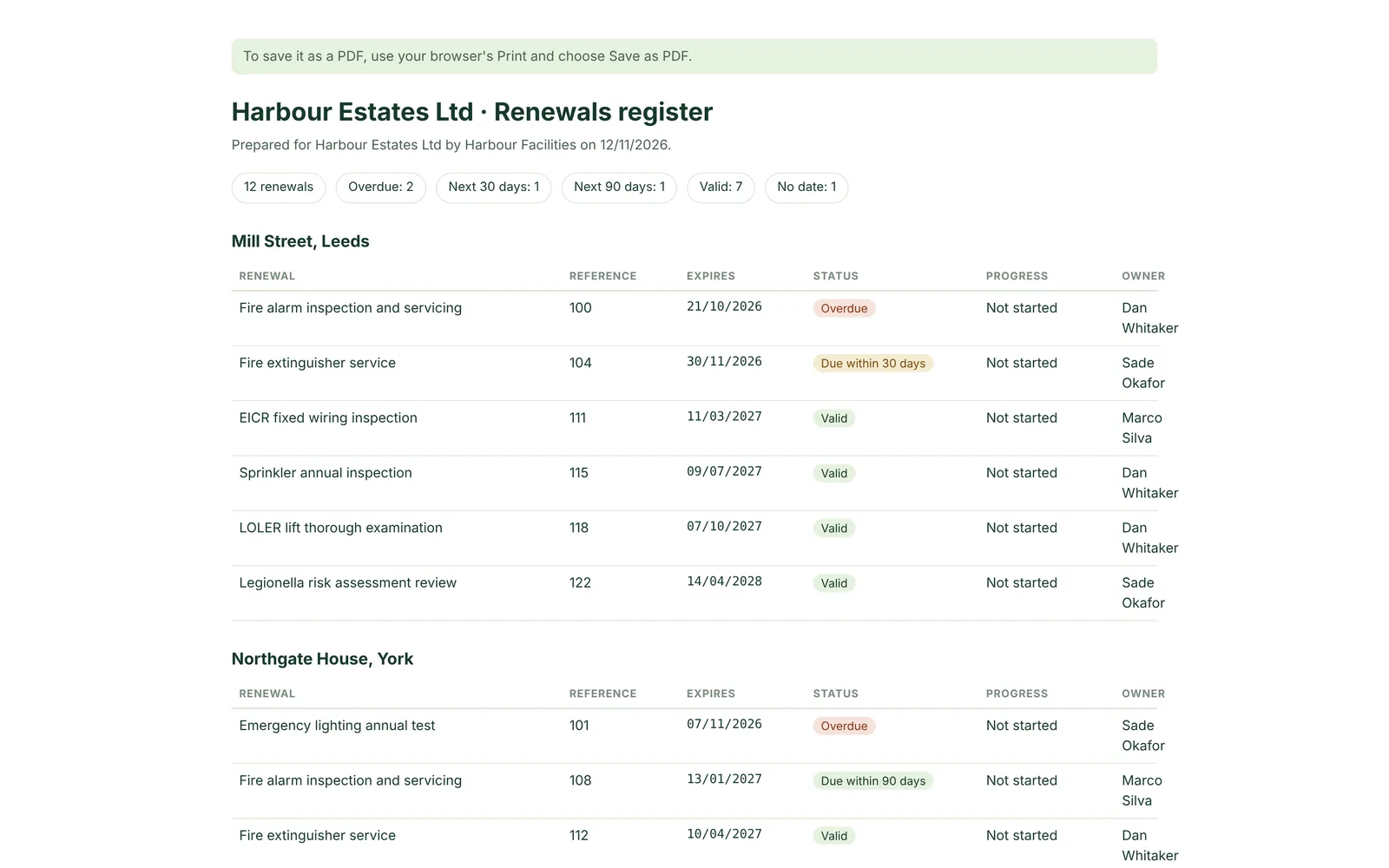
Everything the client asks about, and nothing they shouldn't see.
The report includes only the chosen client's buildings. Other clients' records never appear.
| Column | What it shows |
|---|---|
| Client | The client the building belongs to. |
| Building | The site the certificate covers. |
| Certificate | The inspection, test or document. |
| Owner | Who is responsible on your side. |
| Progress | The current stage, from Not started to Approved. |
| New expiry | The approved expiry date, once there is one. |
| Next action | The date of the next step. |
| Recorded actions | Approvals, corrections and changes, with dates. |
Print it, save it as PDF or open it in Excel.
The HTML report is dated and ready to print or save as a PDF from your browser. The CSV opens in Excel or Google Sheets if the client wants to work with the data.
- Dated HTML report
- CSV for spreadsheets
- One client at a time
Ready when someone asks for proof.
Clients, insurers and auditors ask the same question: is everything up to date, and can you show it? The report answers with dates and history.
Monthly client review
Export the register the morning of the meeting. Overdue items, booked inspections and approved renewals are all there, with dates.
Insurer or auditor request
Send a dated register showing each certificate, its expiry and when it was approved.
Not included yet. The report lists certificates and their history. The certificate files themselves are not bundled into the export yet.
Questions about reports
Can I report on all clients at once?
Yes, choose All clients. The register then includes every building in your workspace.
Can clients log in to see their own report?
They don't need to: on Team and Portfolio, share a live page that always shows their buildings, dates and progress. You can also export the report and send it.
Can I add our logo?
Not yet. Branded reports are on our list.